

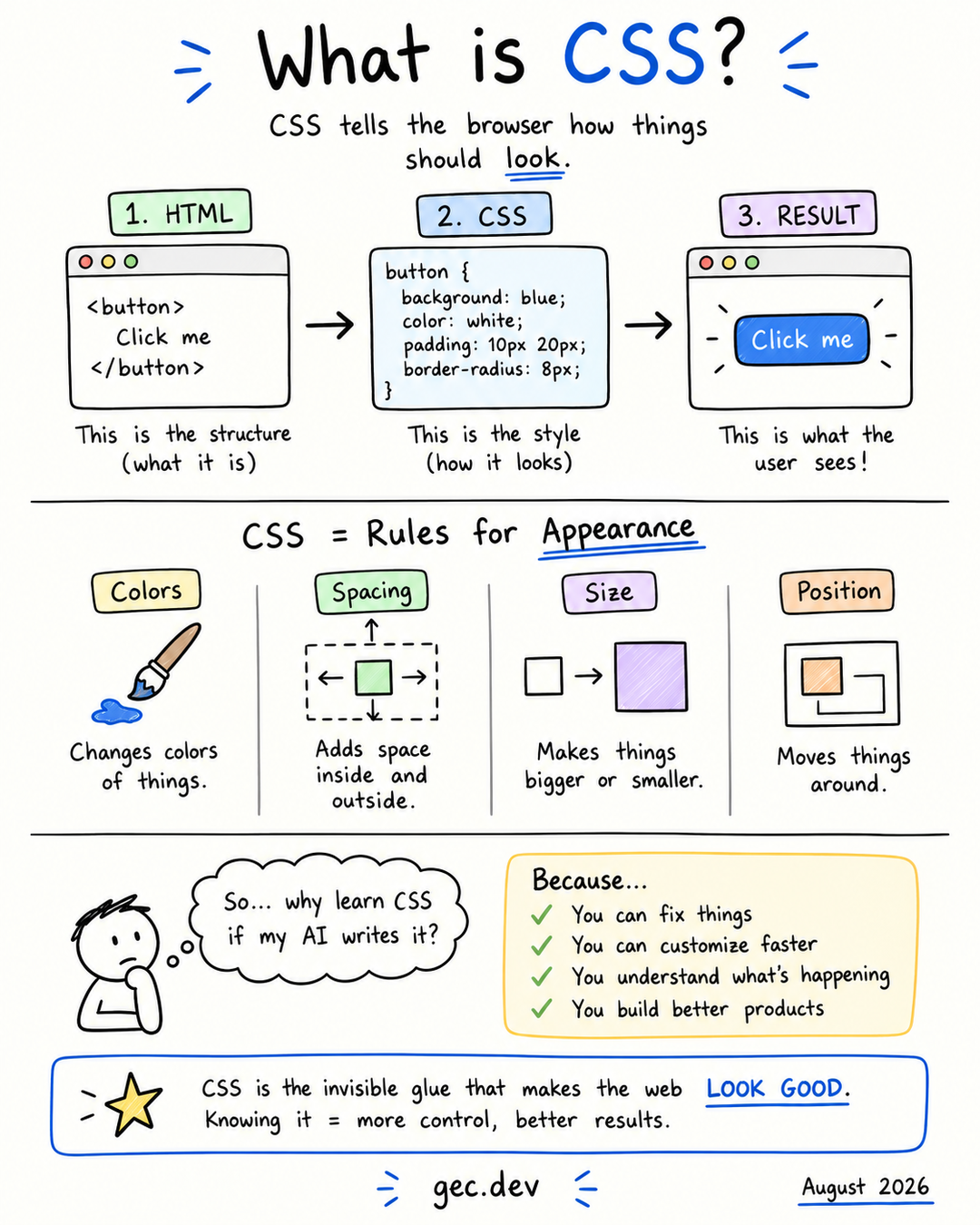
CSS, short for Cascading Style Sheets, is the language browsers use to control how a web page looks and lays out. It sets colors, spacing, sizes, positions, fonts, and visual changes for different screens or interactions.
HTML and CSS have different jobs. HTML describes the content and structure of a page: this is a heading, this is a paragraph, and this is a button. CSS describes how those elements should be presented.
flowchart LR
    HTML[HTML structure] --> Browser[Browser]
    CSS[CSS rules] --> Browser
    Browser --> Result[Rendered page]
From HTML to a styled result
Start with an HTML button, then add a CSS rule. The source and the rendered result are shown together:
HTML
CSS
Output
The browser combines the HTML structure with the matching CSS rules and paints the result on the screen. CSS does not replace the button or change what it means. It changes how the button is presented.
The anatomy of a CSS rule
Every CSS rule has a selector and one or more declarations:
HTML
CSS
Output
buttonis the selector. It tells the browser which HTML elements to match.color: whiteis a declaration.coloris the property being changed.whiteis the value assigned to that property.
A selector can target an element by its tag name, but styles are often attached through classes so they can be reused deliberately:
HTML
CSS
Output
The period before .primary-button means “find elements with this class.” Any element carrying that class can receive the rule.
CSS controls more than color
The most visible CSS properties fall into a few groups:
| Concern | Example properties | What they control |
|---|---|---|
| Color and type | color, background, font-size |
Text, surfaces, and typography |
| Spacing | padding, margin, gap |
Space inside and between elements |
| Size | width, height, max-width |
How much room an element occupies |
| Layout | display, grid-template-columns, justify-content |
How elements are arranged |
| Position and depth | position, inset, z-index |
Where elements sit and overlap |
CSS also describes interaction states. A button can react when someone points at it or moves focus to it with a keyboard:
HTML
CSS
Output
These states provide feedback and help people understand which element they are about to use.
The box model explains spacing
Browsers treat each visible element as a rectangular box. From the inside out, that box contains:
- Content, such as text or an image.
- Padding, the space between the content and its border.
- Border, the line around the padded content.
- Margin, the space outside the border that separates the element from its neighbors.
This is why padding makes a button feel roomier while margin moves it away from nearby elements. Learning this distinction resolves many early CSS layout problems.
Edit either source below. Change the button text in HTML or a CSS value such as padding or margin and watch the output update. Padding grows the button from the inside, while margin separates its box from the surrounding space:
HTML
CSS
Output
Why is it called cascading?
More than one rule can match the same element. The cascade is the browser's process for deciding which declaration wins. It considers where a rule came from, how specifically its selector matches, and the order of equally weighted rules.
HTML
CSS
Output
Both rules match the button from the earlier example, but the class selector is more specific than the element selector, so the text is white. Some properties, including color and font settings, can also be inherited from a parent element.
You do not need to memorize the entire cascade before writing CSS. Start by keeping selectors simple and placing related rules together. When a style does not apply, browser developer tools can show which rules matched, which declaration won, and which declarations were overridden.
CSS makes pages responsive
The same HTML can adapt to phones, tablets, and wide desktop screens. Flexible sizing, Grid, Flexbox, and media queries let CSS respond to the available space instead of assuming one fixed canvas.
HTML
CSS
Output
This grid creates as many columns as fit while keeping each button at a usable minimum width. As the viewport narrows, the buttons naturally move onto fewer columns. Resize the page or open the example in a responsive browser view to see the layout change.
Why learn CSS if AI can write it?
AI can generate a rule quickly, but you still need to judge whether the result is correct. A generated layout may overflow on a small screen, hide a focus indicator, create conflicting selectors, or fix one component while breaking another.
Knowing CSS lets you:
- Describe the result you want more precisely.
- Read and adjust generated code instead of replacing it blindly.
- Diagnose spacing, layout, and cascade problems in developer tools.
- Check responsiveness and interaction states.
- Build a consistent visual system rather than a collection of isolated fixes.
The goal is not to remember every property. It is to understand the browser's model well enough to predict, inspect, and control the result. CSS is the layer that turns web structure into a usable visual interface, and knowing its fundamentals gives you ownership of what users actually see.
Comments
0 total